
Freeview on Firestick Setup Guide: Stream Live TV Free
To get Freeview on your Amazon Firestick, you must install the individual UK broadcaster applications from the Appstore, as there is no single “Freeview Play” app. Search for and download BBC iPlayer, ITVX, Channel 4, My5, and UKTV Play. Once installed, sign in to each app using a free account registered with a UK postcode. You can then integrate these channels directly into your Fire TV dashboard guide by navigating to Settings > Live TV > Sync Sources.
For UK television viewers looking to cut the cord and stop paying expensive satellite or cable fees, streaming live television is the ultimate goal. The Amazon Fire TV stick is one of the most versatile streaming players available, but new users are often confused to find that there is no official “Freeview Play” application listed in the Amazon Appstore. Fortunately, accessing Freeview’s extensive line-up of over 70 live television channels is entirely possible, completely legal, and doesn’t require a physical TV aerial socket.
By using this comprehensive freeview on firestick setup guide, you will learn the exact step-by-step methods required to configure a complete, digital live TV guide on your Firestick. As a home entertainment network specialist with over 5 years of experience configuring UK streaming platforms, I will guide you through the process of installing the correct player engines, linking broadcaster accounts, and integrating your apps directly into the native Fire TV live program guide for a premium live TV experience.
Can You Get Freeview Play directly on a Firestick?
Technically, the “Freeview Play” software package is a proprietary platform built into smart televisions that have built-in terrestrial aerial tuners. Because the Amazon Fire TV stick is a pure digital streaming dongle without a coaxial RF aerial socket, the standard Freeview Play dashboard app cannot be installed. However, Freeview channels are just digital rebroadcasts of the major UK networks: BBC, ITV, Channel 4, Channel 5, and UKTV. By installing the individual digital streaming apps developed by these networks, you achieve the exact same channel list, guide features, and catch-up services.
- Broadband Delivery: Channels are streamed via high-speed internet protocols (IPTV) rather than radio frequencies received by a physical aerial on your roof.
- Broadcaster Accounts: Each app requires a user profile. During registration, you must enter a valid UK postcode (e.g., SW1A 1AA) to receive regional news broadcasts.
- TV Licensing Laws: Even though the apps are free, UK law requires you to have a valid TV Licence to stream any live broadcast or watch any content on BBC iPlayer.
- Native Integration: Fire OS allows you to combine individual channel feeds from different apps into a single virtual program guide (EPG) accessible via your remote.
Freeview Broadcaster App Breakdown
To recreate the Freeview channel list, you must install the following core applications from the Amazon Appstore. Refer to this table for a breakdown of channels and registration needs:
Looking for Premier League, Sky Sports, and International Channels?
While Freeview is excellent for standard UK programming, it lacks live sports, premium entertainment networks, and international feeds. If you want a comprehensive live TV system with over 10,000 global channels, live Premier League fixtures, Sky Sports, TNT Sports, and movies, upgrade your Firestick setup with GuardianTV. GuardianTV runs on a dedicated high-speed infrastructure, providing stable, HD live streams with zero buffering issues.
Complete Freeview Setup Steps
Step 1: Download the Broadcaster Apps
To begin, we must download the digital media applications from the Amazon Store. Ensure your Firestick is connected to a reliable internet connection.
- From the main Firestick dashboard, navigate to the **Find** magnifying glass icon.
- Click on the **Search** box and type in the name of the first broadcaster, for example: **BBC iPlayer**.
- Select the app from the search results, click on the **Get** or **Download** button, and wait for the installation to finish.
- Repeat this search-and-install process for **ITVX**, **Channel 4**, **My5**, and **UKTV Play** to cover all major Freeview networks.
Step 2: Account Creation and Registration
To security lock their broadcast rights, UK networks require users to register a free profile on their platforms. The easiest way to activate these accounts is using a smartphone or computer.
Open a web browser on your phone and visit the registration page for the network you want to set up (such as *bbc.com/register* or *itv.com/registration*). Complete the sign-up fields, entering a valid UK postcode. Confirm the verification email sent to your inbox. Repeat this process for each of the five networks to ensure you have active credentials.
Step 3: Device Activation and Linking
Now, we must authenticate your Firestick devices with the accounts you just registered.
- Open the **BBC iPlayer** app on your Firestick.
- Click on the **Sign In** button. The screen will display a 4-digit or 6-digit alphanumeric activation code.
- On your phone, navigate to the activation URL shown on screen (e.g., *bbc.com/activate*). Sign in to your account.
- Type the code displayed on your TV screen into the web form and click **Submit**. Your TV screen will automatically refresh and log in.
- Follow the exact same linking procedure for **ITVX**, **Channel 4**, **My5**, and **UKTV Play** using their respective activation codes.
Step 4: Integrate Channels into the Fire TV Live Guide
Instead of manually switching between different apps, you can sync their live feeds directly into your Firestick’s native Live TV Guide interface.
Navigate to **Settings > Live TV > Sync Sources**. Select **BBC iPlayer** and click Sync. Return to the menu, select **ITVX**, and sync its channels. Do the same for **Channel 4** and **My5**. Now, when you navigate to the **Live** tab on your Firestick dashboard or press the **Guide** button on your remote control, you will see a unified, vertical Electronic Programme Guide (EPG) listing all synced live Freeview channels in chronological order.
Step 5: Configure Live TV Channels Ordering
To optimize your live TV guide, go to **Settings > Live TV > Manage Channels**. Here you can hide channels you do not watch, re-order the listing to mimic a traditional UK TV guide (placing BBC One at position 1, BBC Two at 2, ITV1 at 3, etc.), and tag channels as “Favourites” to display them in a quick-access shortcut menu.
Recommended Video Walkthrough
If you would like a step-by-step visual demonstration of downloading broadcaster apps and building a unified Freeview guide on Amazon Fire TV, watch this tutorial guide:
Unlocking Regional Restrictions and VPN Setup
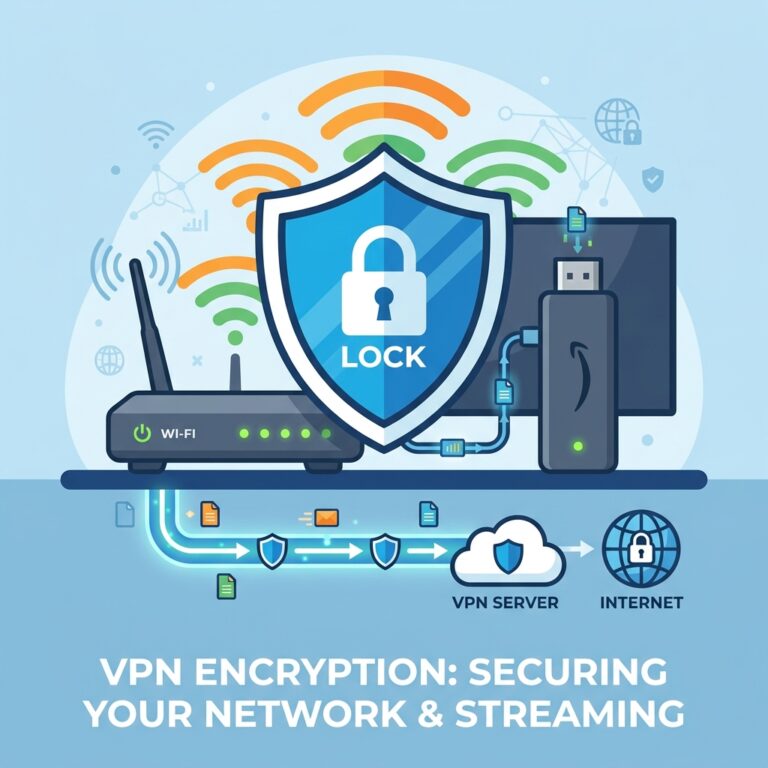
If you travel outside the UK for work or holiday, you will notice that broadcaster apps block video streams. This is because your foreign IP address is flagged by geo-restriction systems. To access your UK Freeview channels while abroad, you must install a premium VPN client on your Firestick, connect to a high-speed UK server (located in London, Manchester, or Wembley), and clear the cache of the broadcaster apps before launching. This spoofs your location and unlocks the live video stream.
الأسئلة الشائعة (FAQs)
No, you do not need a TV aerial. All live broadcasts are streamed over your home internet connection using digital broadband protocols.
In the UK, streaming live TV or watching any BBC content on-demand legally requires a TV Licence. Simply click “Yes, I have a TV Licence” on the verification prompt to proceed.
Broadcasters restrict access to UK residents. To bypass this while traveling, connect your Firestick to a high-speed UK VPN server before opening the apps.
Navigate to Settings > Live TV > Sync Sources on your Firestick, select the installed broadcaster apps, and click Sync to integrate the channels into the main EPG.
الخلاصة
Setting up Freeview Play style streaming on your Amazon Firestick is simple and requires zero coaxial aerial cables. By downloading the official BBC iPlayer, ITVX, Channel 4, My5, and UKTV Play applications, creating accounts, and syncing sources, you will gain access to over 70 live UK channels. For additional performance tuning, check out our guide on fixing Firestick freezing issues. To enjoy premium global channels, live Premier League fixtures, and sports without buffering limits, visit GuardianTV today.
 English (UK)
  العربية
  Deutsch
  Ελληνικά
  Suomi
Suomi  Magyar
  Italiano
  Українська
  Svenska
  Română